> ## Documentation Index
> Fetch the complete documentation index at: https://docs.ideatura.ai/llms.txt
> Use this file to discover all available pages before exploring further.
# Connect your model
> Confirm the workspace, application, document and view before a task.
Confirm the workspace, application and document before asking Ideatura to make changes.
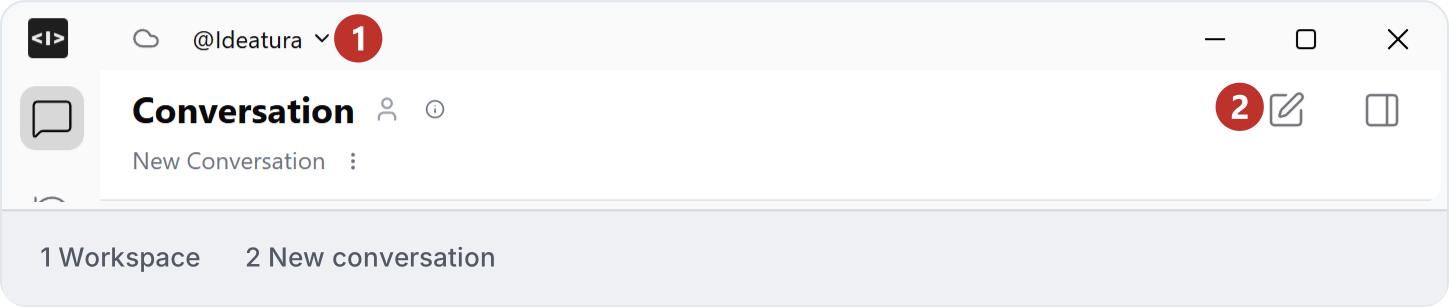
1\. Choose the workspace
Check the workspace name at the top of Studio. Choose the workspace containing the references or automation for your task. If saved work is missing, check this selection before looking elsewhere. See [Workspaces](/studio-reference/ui-workspaces).
2\. Confirm the application
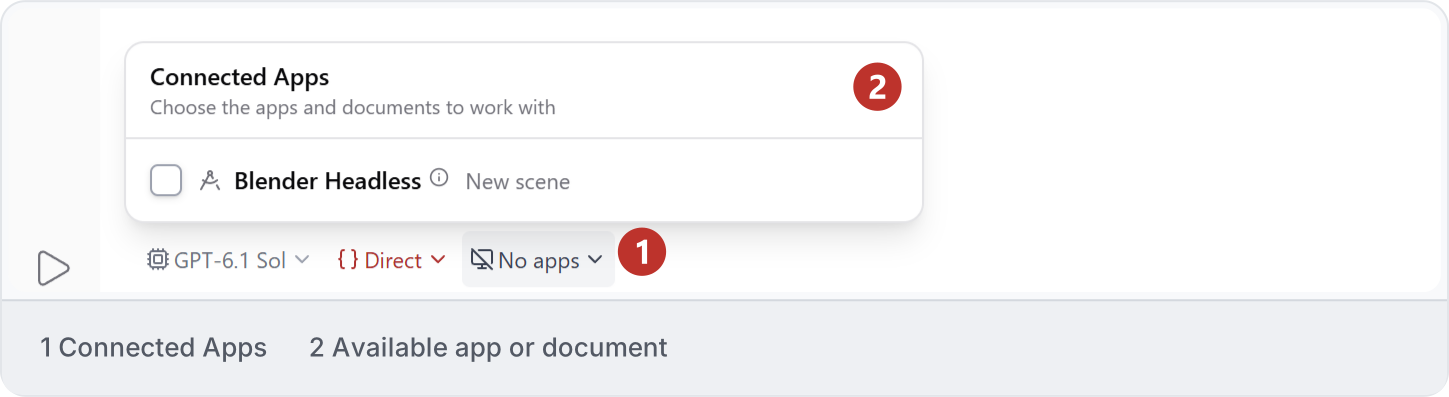
Open **Connected Apps** and select the intended application and document. The example shows an available **Blender Headless — New scene** entry, still unchecked. Check the selected target and available access options before sending a request. See [Modes and access](/studio-reference/ui-connections).
3\. Check the target
Before editing, ask for a read-only identification of the active document, view and selected elements. Compare the answer with the application itself. Name the view or elements again if the selection or active document changes.
```text theme={"dark"}
Identify the connected document, active view and selected element IDs. Do not change the model. Tell me if any of these are unavailable.
```
4\. Resolve a mismatch
Stop if the reported target differs from your intended file. Check the connection and active document, then repeat the inspection. For busy sessions or unavailable controls, use [Troubleshooting](/help/problems); do not open several chats and assume each owns an independent model.
This documentation is built and hosted on [Mintlify](https://mintlify.com), a developer documentation platform.