Choose from the models available in your account. The best choice for a task is the one that reaches an acceptable result with reasonable total effort.

1. Separate the controls

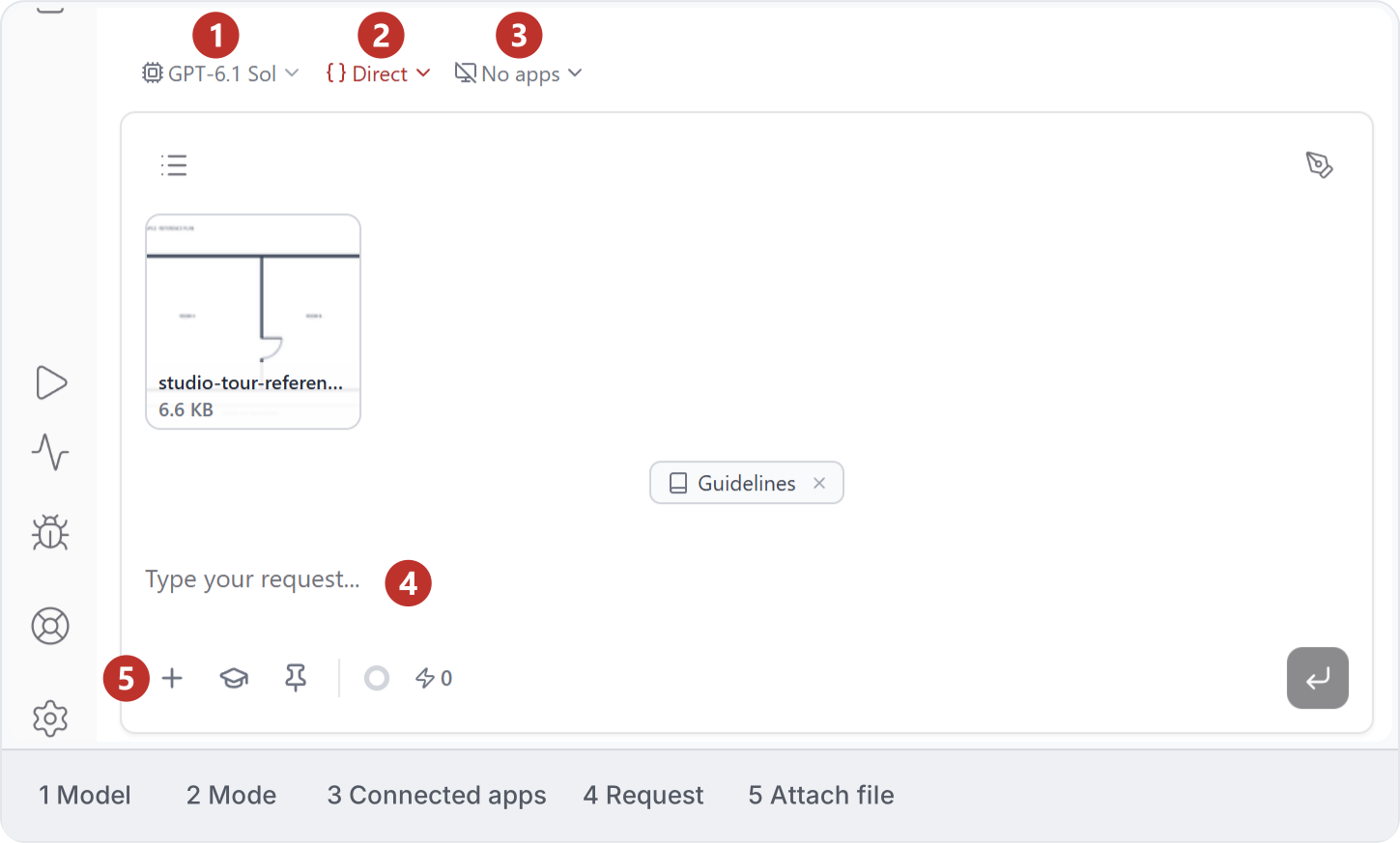
The AI model, thinking level, execution mode and connected document are different choices. A higher thinking level cannot correct a wrong target or missing reference. See Conversation controls. Separate conversation controls: 1 AI model; 2 execution mode; 3 connected apps. The example has No apps selected.
2. Compare the same task

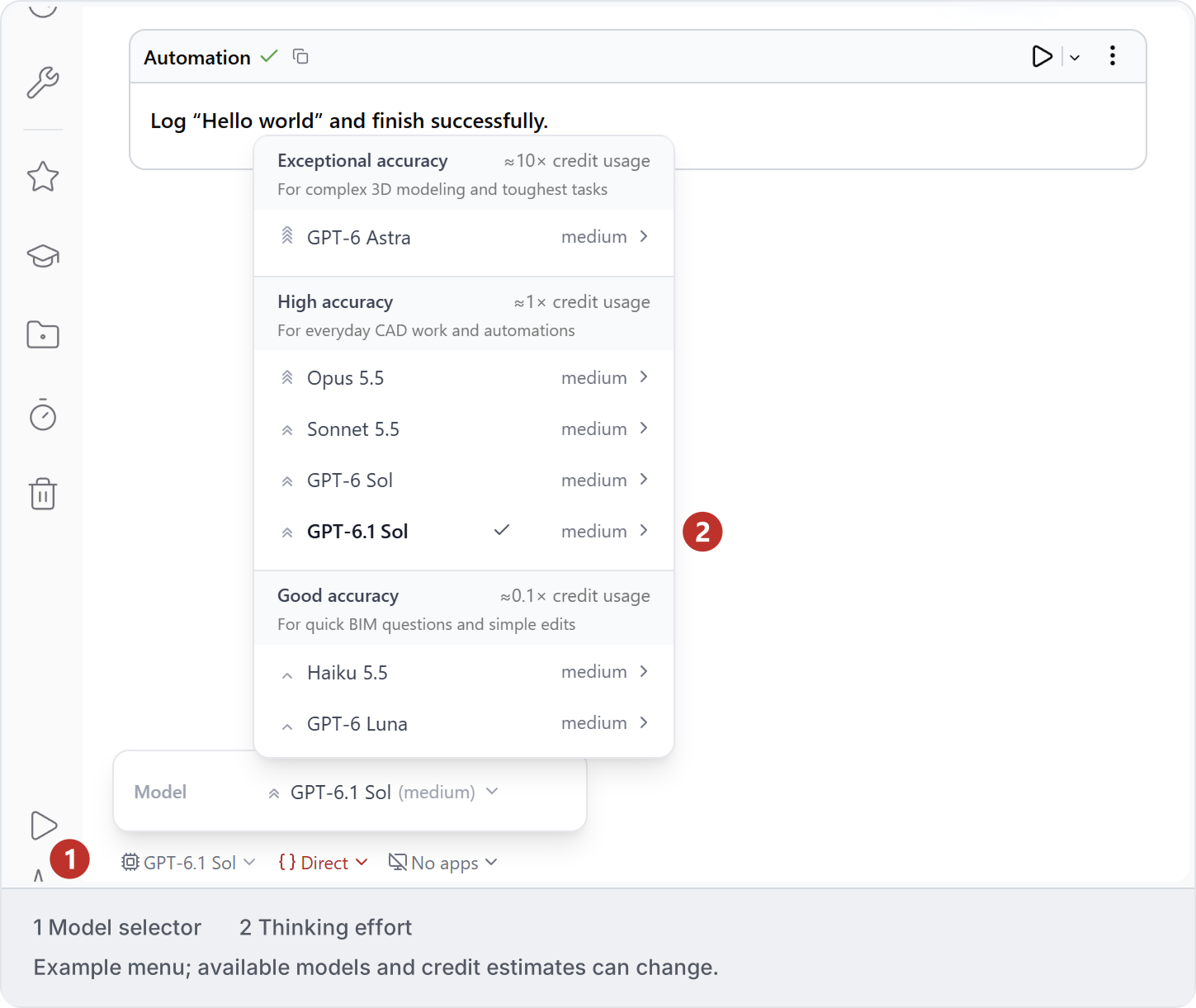
Open the model selector and choose from the current menu. Check the thinking level beside the model before sending; available models and credit estimates can change. Example model menu: 1 model selector; 2 thinking level. GPT-6.1 Sol with medium effort is selected; available models and credit estimates can change. Keep input, scope and acceptance checks fixed. Record the chosen model, thinking level, elapsed time, credits, retries and corrections. Include native inspection when judging quality.
3. Use the result

Choose settings from observed results rather than a universal cheapest-or-best ranking. Recheck when the task or available models change. Read Credits for usage and the existing Models and credits reference for account indicators.