

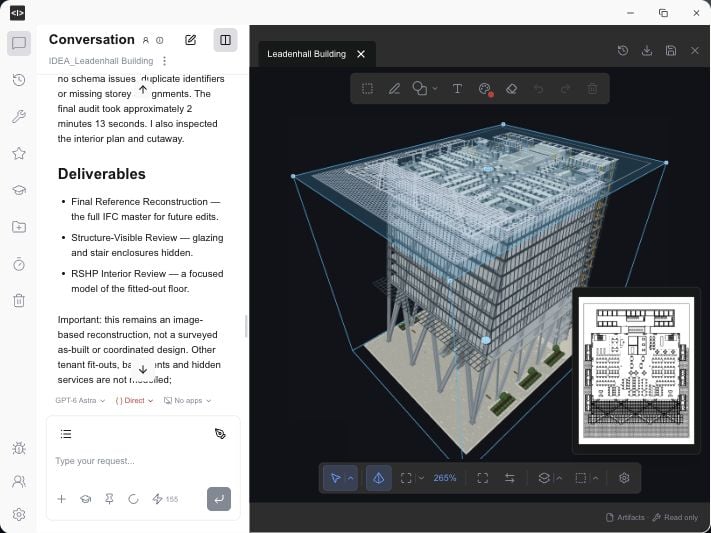
Studio brings the conversation, 3D model and drawing preview together. Product view from ideatura.ai/download.
Try 3D modelling
Create a small IFC house in Studio. No external application needed.
Start with Revit
Dimension a plan and save the task as a reusable automation.
Who Ideatura is for
- Architects: explore layouts and massing, develop building models and take a design through to drawings and details.
- Drafters: prepare views and sheets, add dimensions and tags, and apply drawing standards across a set.
- Building engineers: inspect building information, make scoped changes and prepare checks and reports for coordination.
- BIM managers: turn office standards into shared instructions, check project consistency and build a reusable automation library.
- BIM developers: develop and refine automations in conversation, expose the inputs colleagues need and share the finished tools.
What you can do with Ideatura
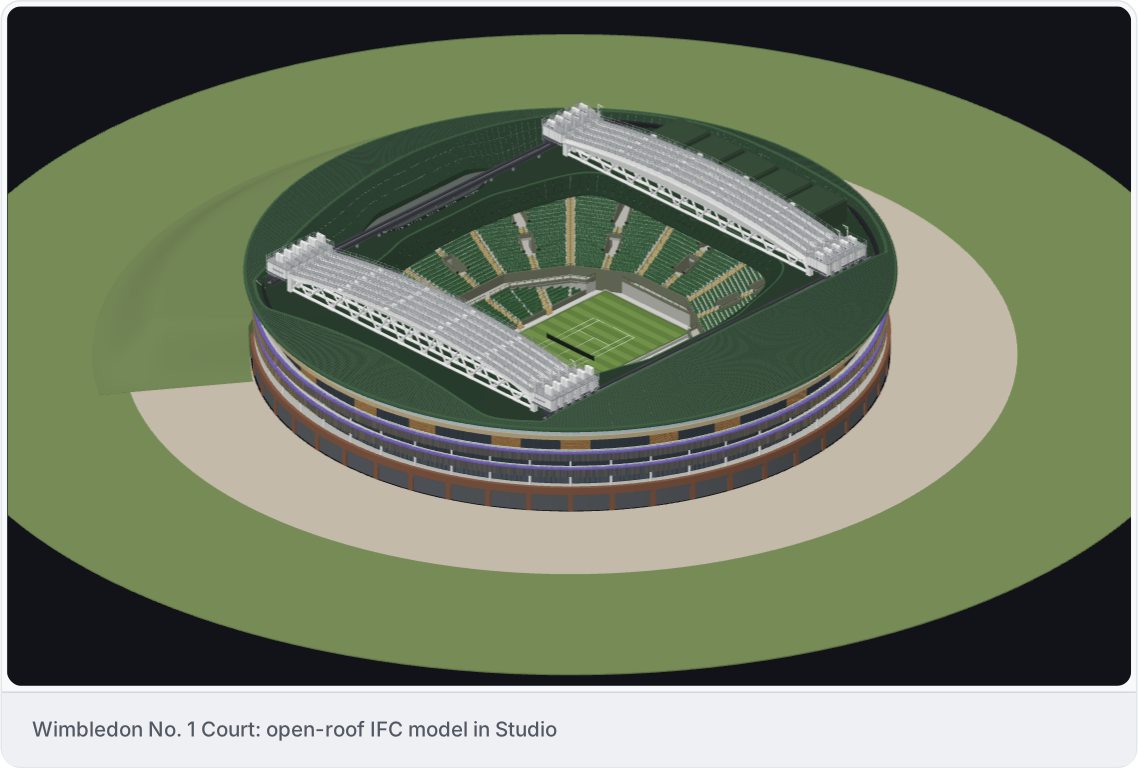
Create 3D models
Build and edit 3D models in IFC, Revit, Rhino or Blender using your instructions and references.

Create Revit families
Create parametric families from references. Adjust their geometry, dimensions and materials.

Automate QA/QC
Ask AI to verify your model, drawings and documentation. Produce ready-to-share reports, review directly in Revit or AutoCAD, and let AI fix issues.

Prepare drawings in Revit or AutoCAD
Create plans, sections and elevations. Add dimensions and tags, then arrange drawings on sheets.

Share reusable automations with your team
Save repetitive tasks as automations with editable inputs. Share them through your workspace’s library and run them on other projects.
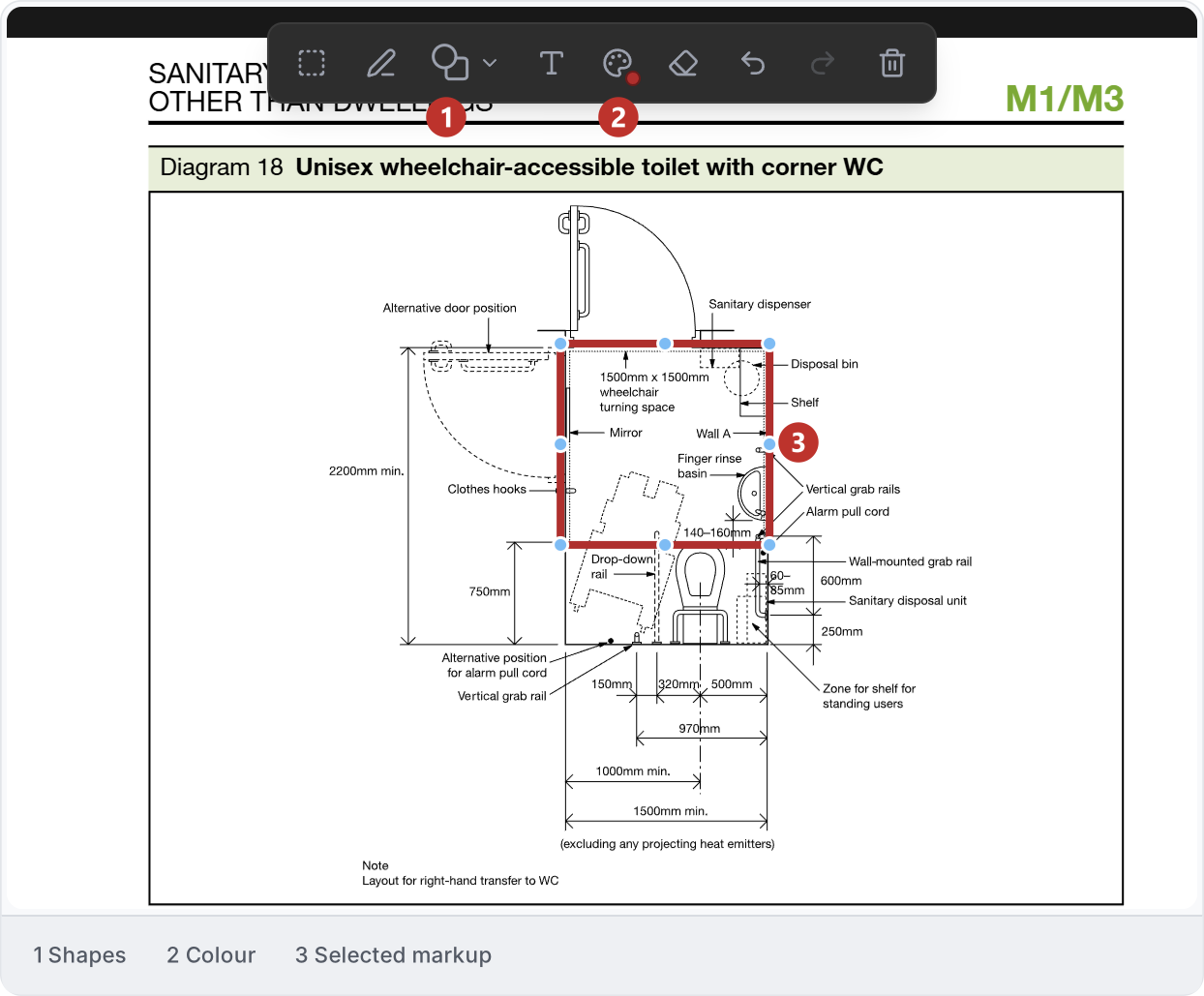
Annotate PDFs with AI
Ask AI to add annotations to your PDFs. Mark up drawings, highlight details and add notes, then review the annotated document.
And more
Work with documents and spreadsheets, inspect project information and coordinate changes across applications.
Core concepts
- Studio is the desktop app where you chat, add references and review results in viewers. The web portal is where you manage your account and subscription.
- A chat keeps a task’s instructions, replies and results together. Connected Apps selects the open application document AI can work on.
- A workspace holds your team’s shared files, skills and automations. A project groups related chats.
- A skill is a reusable set of instructions. An automation is a saved task with inputs you choose before running it. The shared library makes these available to your team.
- A scene brings 3D content together in a viewer. IFC is a building-model file format you can work with directly in Studio. A markup is a note or drawing on a viewer that helps you point AI to a specific area.