1. Conversation
Use Conversation to describe a task, attach references and review the response. Check the model, mode and connected application beside the prompt. Keep refinements of one result in the same conversation; start another for a different task.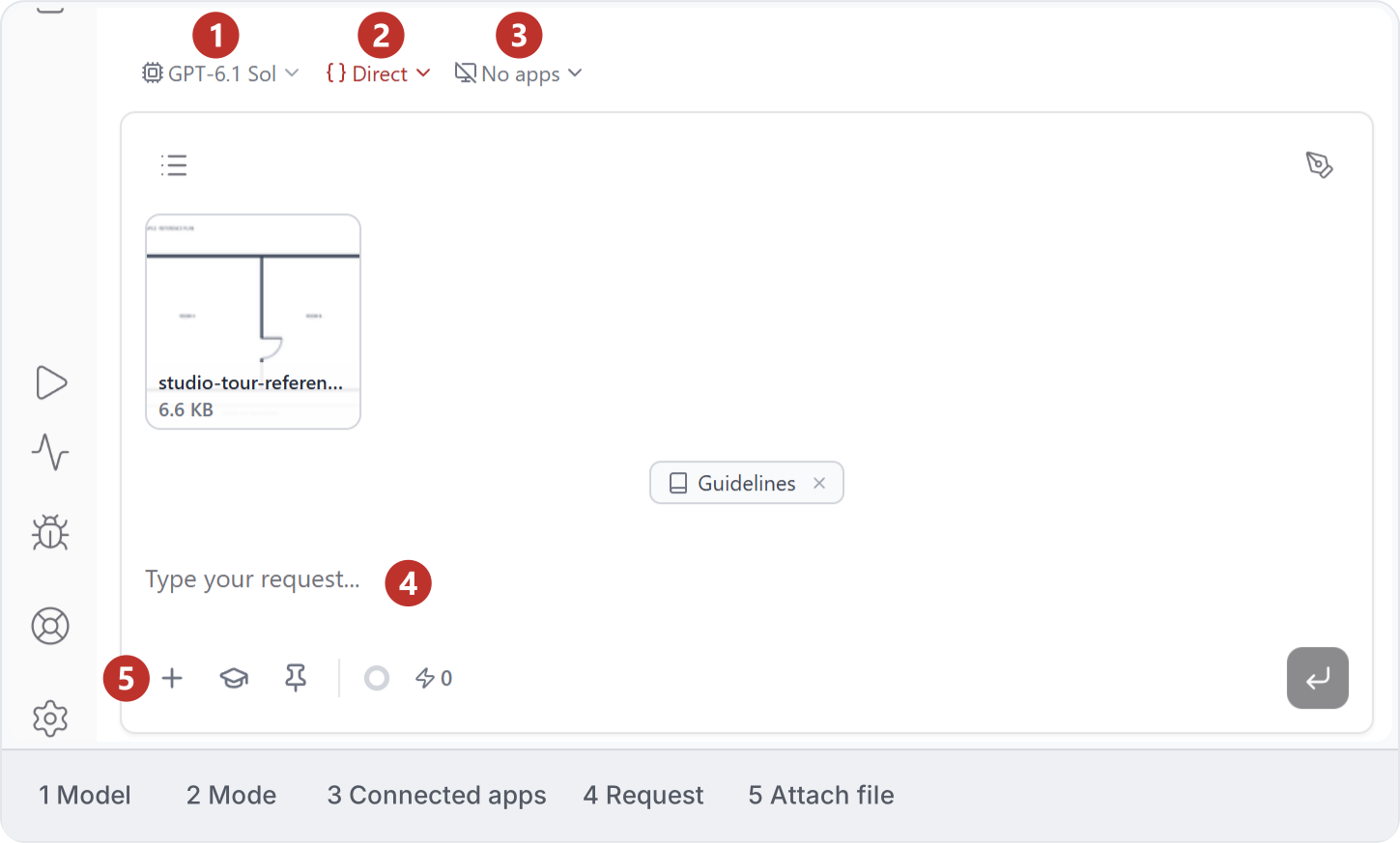
2. History
Open History and search by title to find a previous conversation. Use its row menu to rename or remove it. Mark all as read clears unread indicators; Stop all affects running work.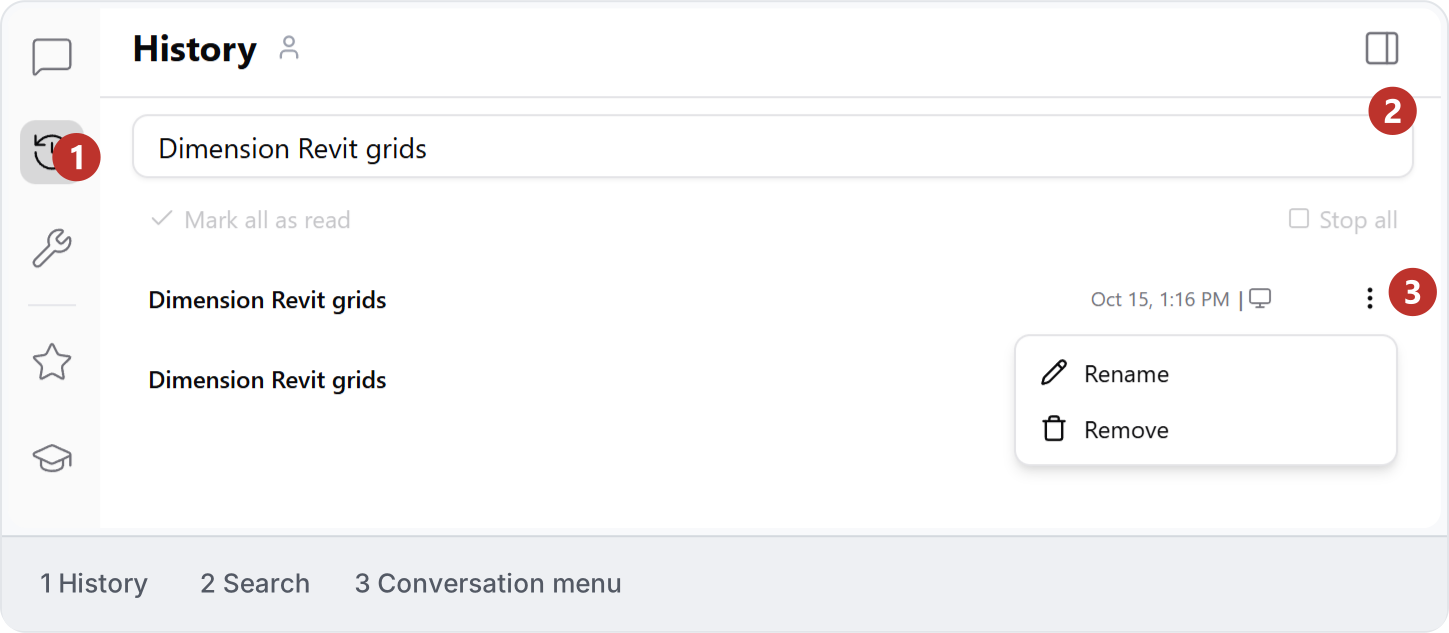

3. Workbench
Workbench holds your personal editable copies. Use Search to find a file, New folder to organise work and Upload to add material. Editing your copy does not update the shared source; check the destination before sharing it.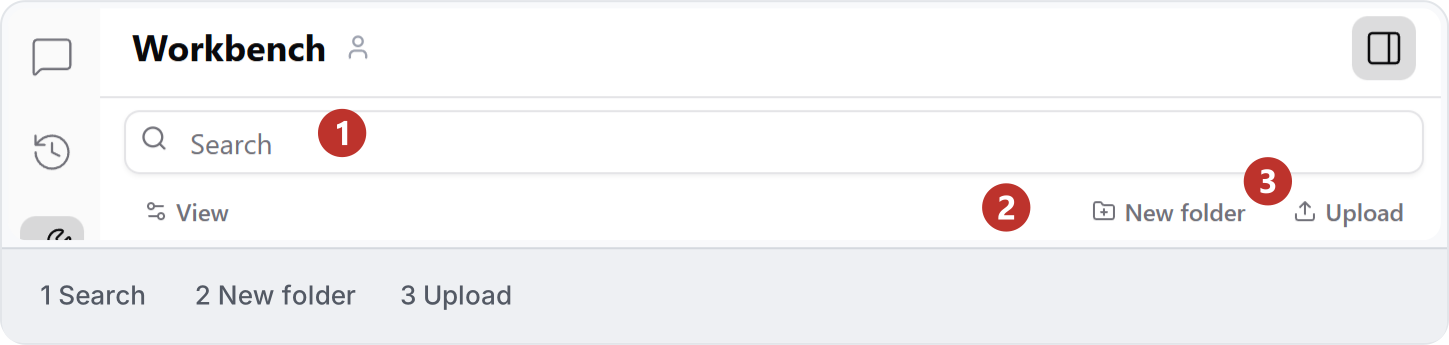
4. Automations
Search Automations for saved work in the selected workspace. Use Open in new chat to discuss an entry, or Run and Run with params to launch it. Folders, sorting, Collapse all and New Chain organise the collection. See Shared library for saving and organising automations.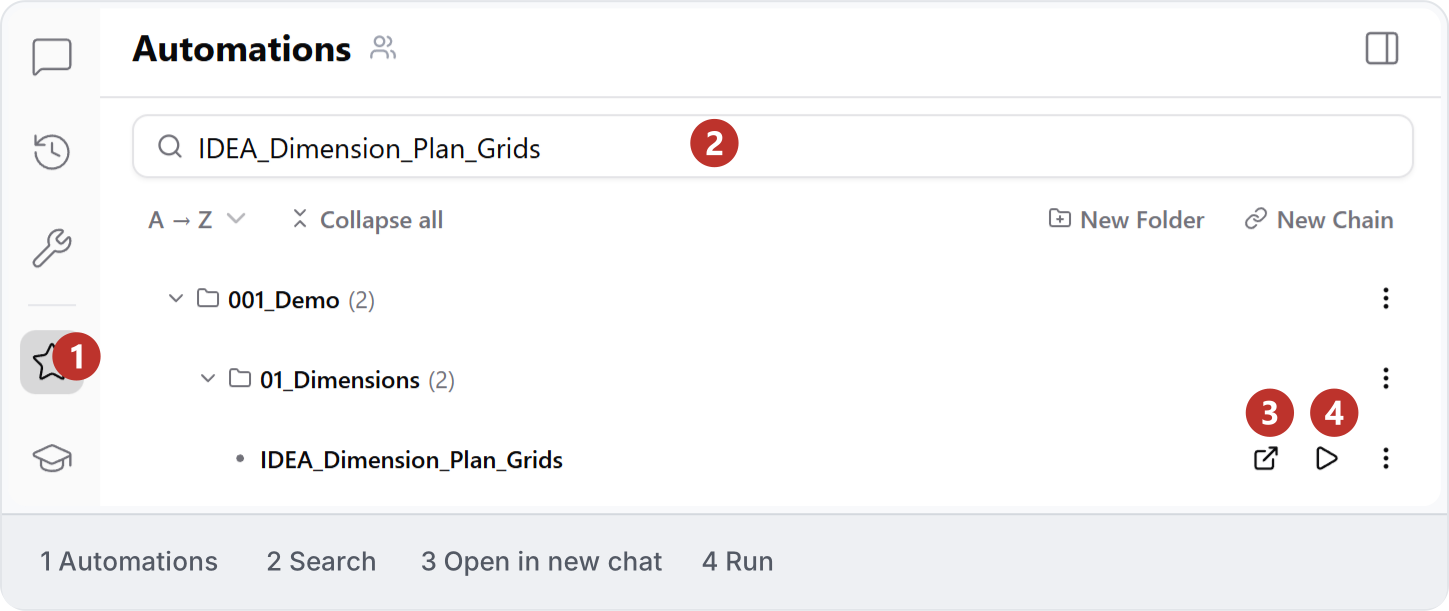
5. Skills
Open Skills to find reusable instructions. Use Search to find a skill or New skill to begin one; Guidelines holds standing workspace conventions. A skill describes a method, while an automation runs saved work.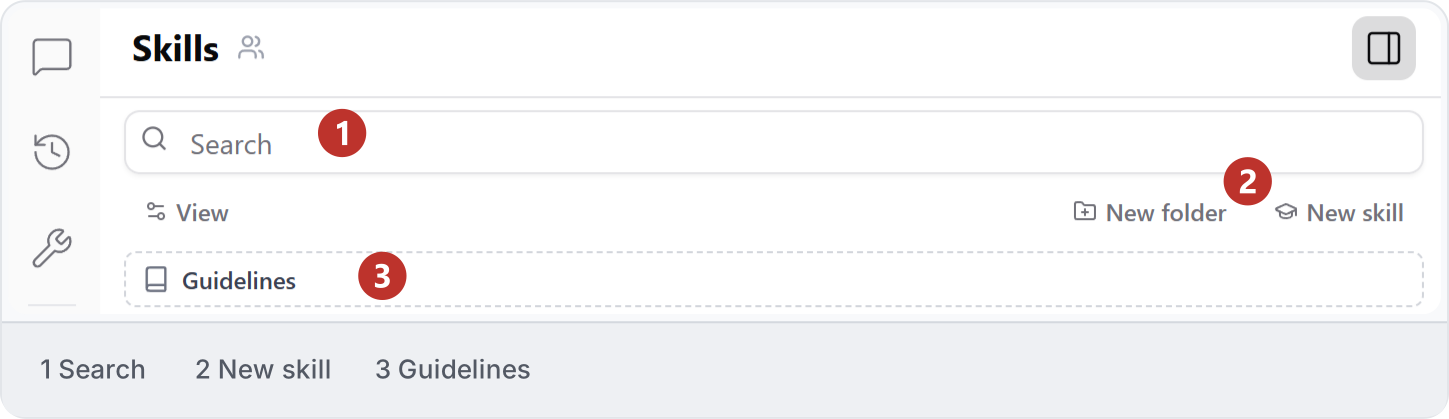
6. Projects
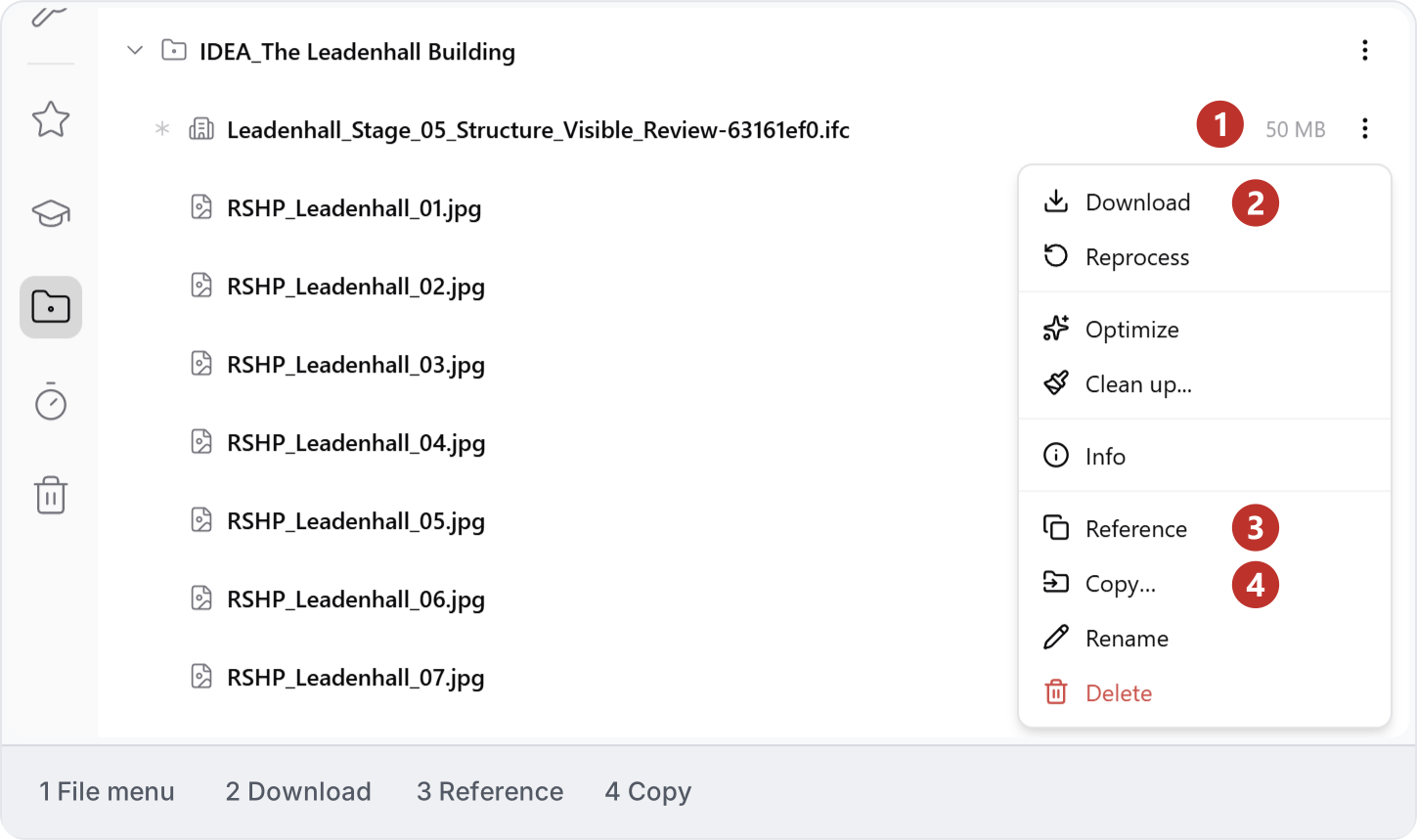
Open Project files to find the model and reference material for your job. Keep related drawings, photographs and PDFs together. This earlier screenshot labels the area Projects and shows a sample IFC model with its reference images.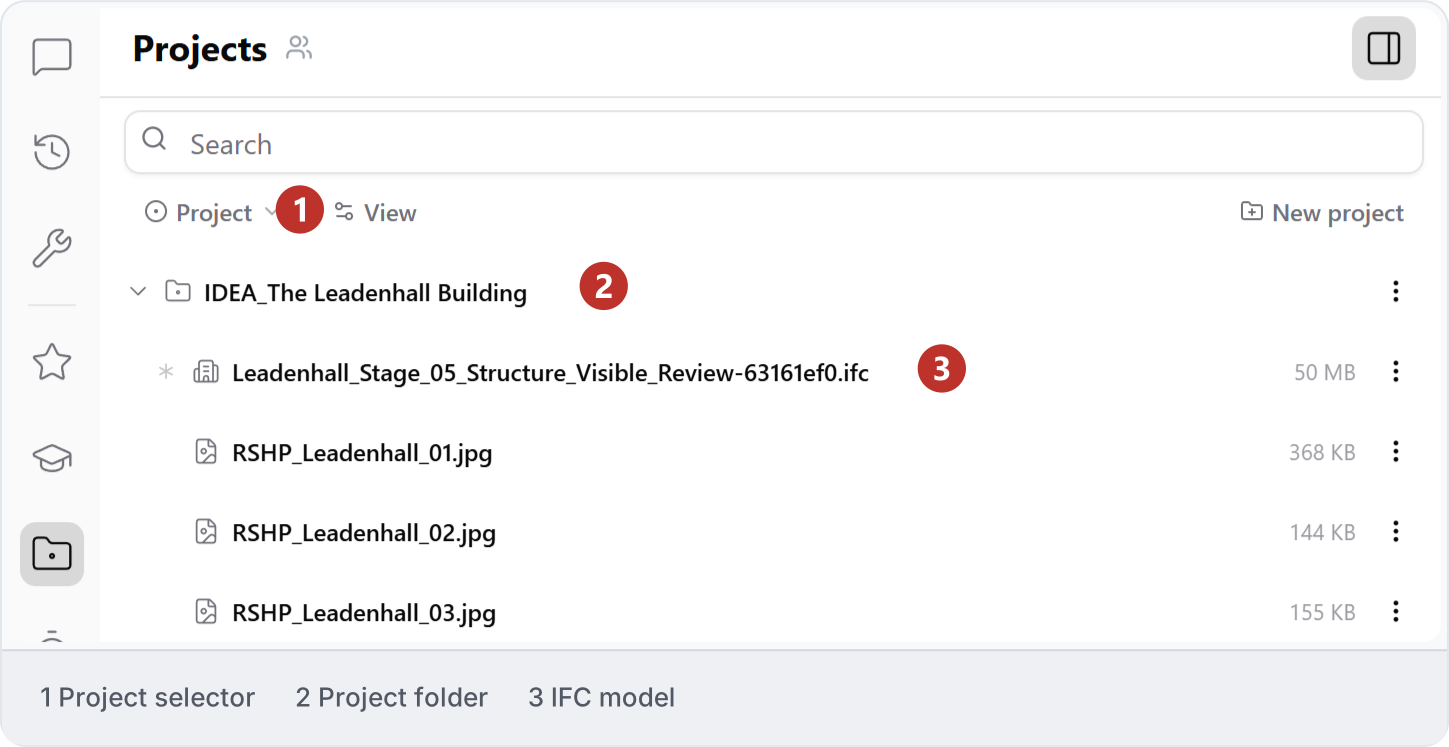
7. Timeline
Use Timeline to search workspace output, then open Filter to narrow it by Kind or Added by. This example searches for “Grid dimensions” and shows Nothing matches. Broaden the search or clear filters if the file does not appear.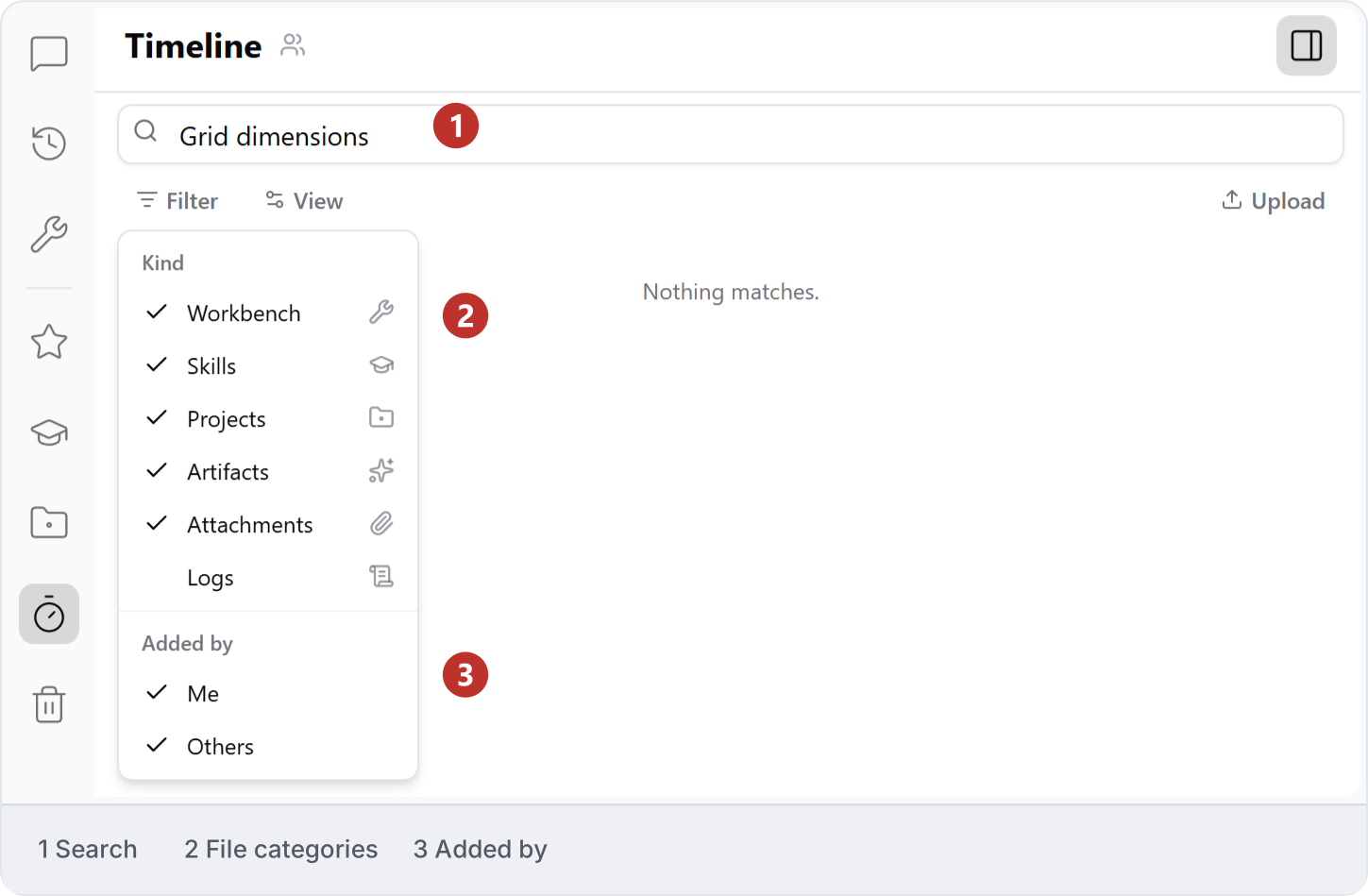

8. Trash
Use Trash to find deleted files and check their time remaining. Search for the item you need before choosing a recovery action. Restore all and Delete all affect multiple files, so review the list first. The example shows these controls without running either action.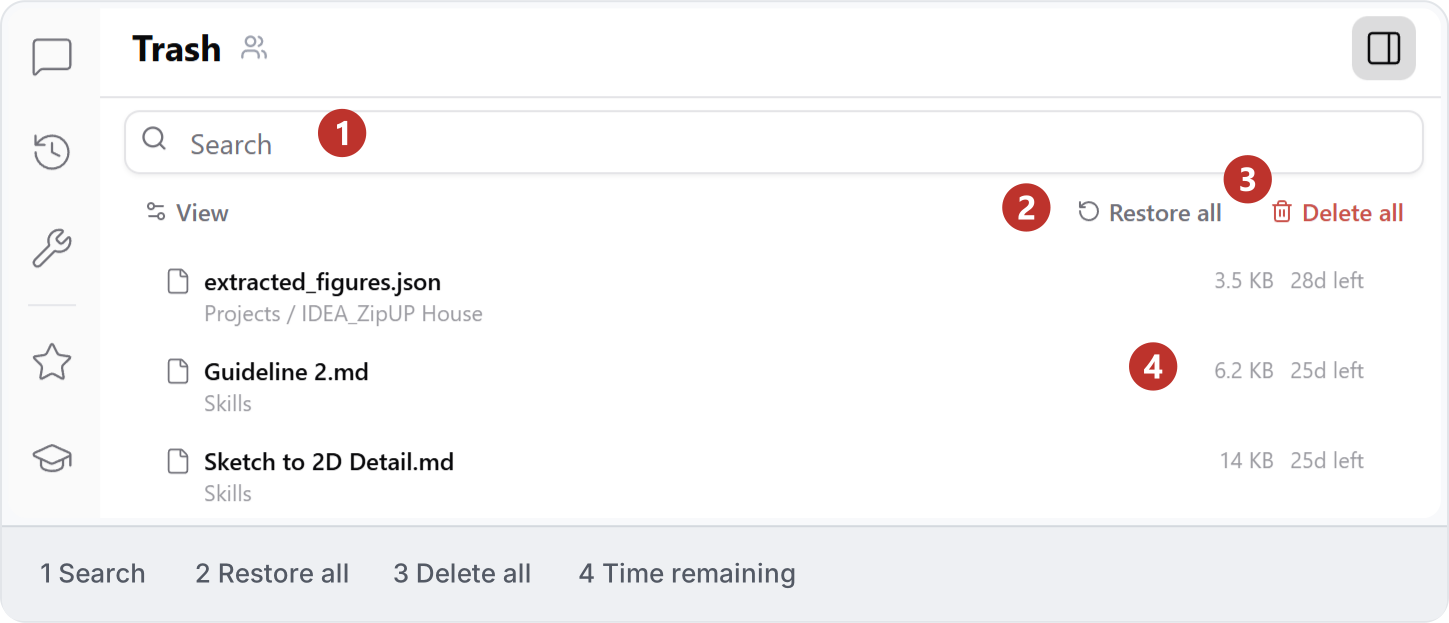
9. Find files
Search the current library, then open the file’s three-dot menu. Check its name and location before choosing an action. This IFC example offers Download, Reference and Copy. Use Timeline filters when you need to narrow a search by category or author.